


Table of Contents
Listen Here
Now you can design your own skin directly on RobloxThat's crazy! In this article, you'll find out everything about this new tool that lets you create unique characters in Roblox. We'll show you how to design from scratch, give you tips on how to make your skins look amazing, and even how to share your creations with the community. Get ready to unleash your creativity and leave your avatar super exclusive!
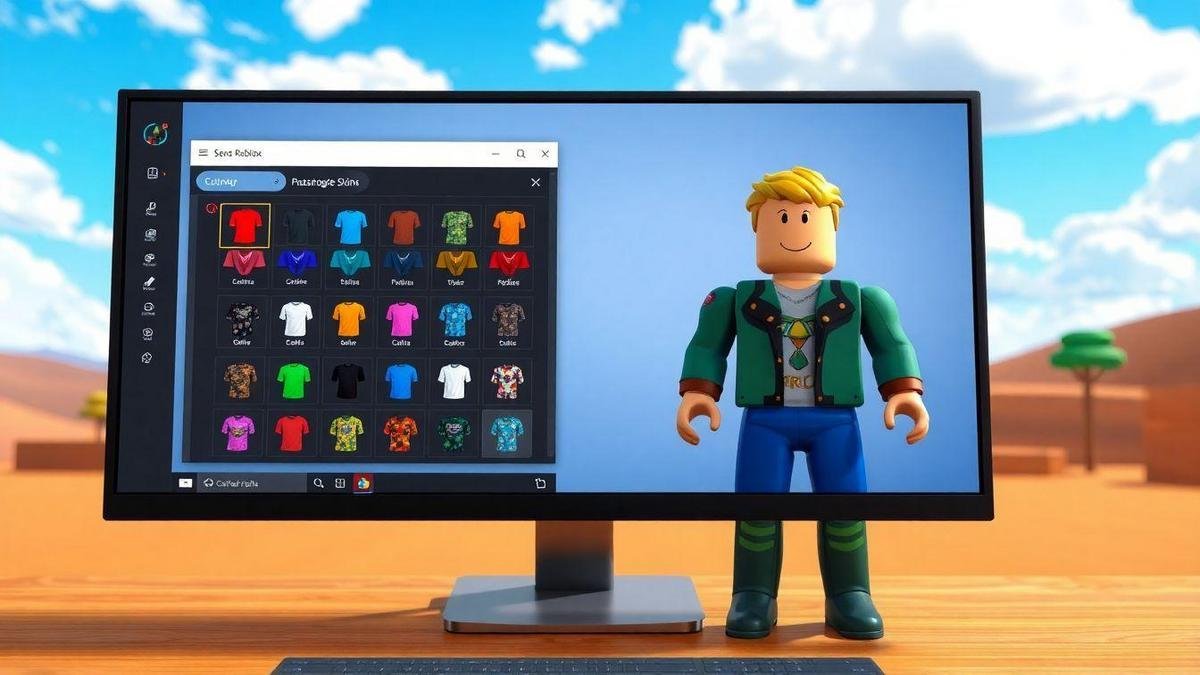
Now you can design skins on Roblox!
Now you can design your own skin directly in Roblox! That's pretty insane.
The new skin creation feature on Roblox has arrived with a bang and promises to revolutionize the way players customize their avatars. Now you can unleash your creativity and design your own skin directly on the platform! This means that, in addition to choosing from thousands of existing options, you can create something totally unique that represents your personality. Just imagine: each player can have a skin that suits them perfectly, with colors, designs, and styles that reflect exactly who they are.
This new feature provides a more fun and interactive experience, encouraging creativity among young people. With a vibrant colorful background and blocky characters, Roblox becomes even more appealing, allowing players to feel like true artists. It's a perfect opportunity for young adventurers to express themselves and stand out in a universe full of possibilities.
What is the new skin creation tool in Roblox?
The new skin creation tool in Roblox allows users to design their own clothing and accessories for avatars. With a user-friendly and intuitive interface, players can use a variety of drawing tools to create custom designs. The tool includes brushes, colors, shapes, and textures, providing a wide range of options for customization.
In addition, the new feature offers the possibility to view the skin in 3D, allowing users to see how their creations will look in the game before publishing them. This facilitates the process of adjusting and improving the design, ensuring that every detail is perfect. This innovation makes skin creation more accessible and fun, allowing even those without advanced graphic design skills to create something incredible.
How to draw Roblox skins: Easy step-by-step guide
Designing your own skin on Roblox is easier than you think! Here is a simple step-by-step guide to get you started:
- Access the skin creation tool: Log in to Roblox and go to the creation section. You will find the new skins tool in the customization tab of your avatar.
- Select the skin format: You can choose to start from scratch or select a basic template as a starting point, helping to speed up the process.
- Select the drawing toolsThe tool offers a variety of brushes and colors. Choose the ones you like best and start drawing! You can use different layers to add details.
- Design your skinUse your imagination! You can create patterns, add accessories, and even draw facial expressions. The only limitation is your creativity.
- View in 3DAfter finishing your design, preview your skin in 3D. This will help you see how it will look in the game and if there is anything that needs to be adjusted.
- Save and publish: When you are satisfied with your creation, save your skin and publish it so other players can see and use it!
By following these steps, you will be ready to create amazing skins and stand out in the Roblox universe.
Tips for creating amazing and unique skins in Roblox
Creating unique and impressive skins in Roblox can be a fun but challenging task. Here are some tips that can help you stand out:
- Get inspired by other designs: Look at other popular skins on Roblox for inspiration. See what works well and try to incorporate elements you like into your creations.
- Use vibrant colorsRoblox is a colorful world. Use colors that catch the eye and stand out in the game. Try different color combinations until you find the one you like best.
- Add detailsSmall details can make a big difference. Add patterns, textures, or small accessories that complement your skin, making it more interesting and unique.
- Keep it simpleSometimes less is more. Don't be afraid to create simple yet impactful designs. A minimalist design can be more appealing than something overly elaborate.
- Try out different stylesDon't be afraid to experiment! Try out styles such as cartoon, realistic, or anime-inspired. This can help you discover what you enjoy creating the most.
- Ask for feedback: Show your creations to friends or other players and ask for feedback. A second opinion can help improve your design.
By following these tips, you'll be on your way to creating amazing skins that will be a hit on Roblox!
Roblox avatar customization: Make your character unique
Customizing avatars in Roblox is one of the platform's most appealing features. With the new skin creation tool, players have even more control over how their avatars look. Here are some ways to make your character unique:
- Mix and matchDon't be afraid to mix different elements. Combine parts of different skins and accessories to create something new.
- Add accessoriesIn addition to skins, you can add a variety of accessories, such as hats, glasses, and backpacks. These details help define your avatar's style.
- Create a story for your avatarThink about your character's personality. What do they like to do? What are their adventures? This can help you choose the clothes and accessories that best fit your story.
- Update regularlyDon't be afraid to change your avatar's appearance from time to time. This can keep things interesting and allow you to experiment with new styles.
- Join the communityShare your creations with other players and see what they are doing. The Roblox community is full of creative people, and you can learn a lot from them.
With these tips, you can customize your avatar in a way that truly reflects who you are and what you like.
Roblox skin design: Explore your creativity
Designing skins on Roblox is an incredible way to explore your creativity. The platform provides a blank canvas for you to express your ideas and create something original. Here are some ways to explore your creativity when designing skins:
- Try different themes: Try creating skins based on specific themes, such as nature, space, or characters from your favorite TV shows or games. This can help you focus your creativity.
- Use referencesIf you're having trouble getting started, look for visual references. This could include images of art or other skin designs that you admire.
- Create inspiring charactersConsider creating skins that represent characters from stories you enjoy or that you have invented yourself. This can give your design a purpose and make it more meaningful.
- Challenge yourself: Try creating a skin within a time limit or with specific restrictions, such as using only certain colors. This can help stimulate your creativity.
- Participate in community challengesThe Roblox community often holds design challenges. Participating in them can be a great way to get inspired and meet other creators.
Exploring your creativity by designing skins on Roblox can be a rewarding and fun experience. Don't be afraid to experiment and express yourself!
Roblox skin maker: Available tools and resources
O Roblox skin maker is a powerful tool that provides a variety of features to help players create custom skins. Here are some of the main tools and features available:
- Intuitive interfaceThe skin maker interface is easy to use, allowing players of all ages to navigate and create their skins without difficulty.
- Drawing toolsThe skin maker offers a variety of brushes, colors, and shapes. You can choose from different brush sizes and styles to create the design you want.
- Layers: The ability to work with layers allows you to add details without compromising the base design. This makes it easier to edit and adjust elements.
- Textures and patterns: In addition to solid colors, you can apply textures and patterns to your skins, making them more dynamic and interesting.
- 3D visualizationThe 3D preview feature allows you to view your skin from different angles, helping to ensure everything looks perfect before publishing.
- Sharing optionsAfter creating your skin, you can easily share it with the Roblox community, allowing other players to see and use your creations.
These tools and resources make the process of creating skins in Roblox accessible and fun, allowing anyone to become a creator.
Roblox Character Customization: What You Need to Know
Customizing characters in Roblox is a fundamental part of the gaming experience. Here are a few things you need to know to get the most out of this feature:
- Variety of optionsRoblox offers a wide range of customization options, from clothing and accessories to animations and facial expressions.
- Interaction with other players: Customizing your character is not just about appearance, but also about how you interact with other players. A unique avatar can help you create an identity in the game.
- Constant updatesRoblox is always updating its customization options, so keep an eye out for new features. New clothing, accessories, and creation tools are frequently added.
- Importance of the communityThe Roblox community is a rich source of inspiration and ideas. Join forums, social networks, and groups to share your creations and learn from other players.
- Security and privacyWhen customizing your character, it is important to remember to maintain your security and privacy. Avoid using personal information in your skins or profiles.
With these tips in mind, you'll be ready to dive into the world of character customization in Roblox and create avatars that really stand out.
Rare and collectible skins in the Roblox universe
In the Roblox universe, some skins are considered rare and collectible. These skins can be highly sought after by players and can have significant value within the community. Here is some information about rare skins:
- Limited editionsSome skins are released as limited editions during special events or commemorative dates. These skins are usually not available for long, making them rare.
- Challenges and achievementsSome skins can be unlocked by completing challenges or achievements within the game. This may include difficult missions or specific events that require special skills.
- Market value: Rare skins can have a high value on the Roblox marketplace, especially if they are sought after by many players. This can lead to an interesting economy within the platform.
- Exclusivity factors: The exclusivity of a skin can increase its appeal. If a skin is unique and cannot be easily obtained, it becomes more desirable.
- Collectors' communityThere is an active community of skin collectors on Roblox. Joining groups and forums can be a great way to exchange information about rare skins and find trading opportunities.
If you are interested in collecting rare skins, keep an eye out for Roblox events and challenges, and don't hesitate to get involved with the community!
Events and news about skins on Roblox
Roblox is always bringing new features and events related to skins and avatar customization. Here are some things you can look forward to:
- Seasonal eventsRoblox frequently holds seasonal events, such as Halloween, Christmas, and other holidays. During these events, new skins and accessories are released, offering players the chance to obtain exclusive items.
- Design contestsRoblox also holds skin design contests, where players can submit their creations to be judged. Winners usually receive special prizes, and their skins may be added to the game.
- Regular updatesThe platform is always updating its customization options, so keep an eye out for new features. New tools, colors, and features are frequently introduced.
- Brand collaborationsRoblox has already partnered with several popular brands, releasing skins and accessories inspired by movies, TV shows, and games. These collaborations can bring unique and exciting items to the game.
- Community feedbackRoblox values player feedback and frequently makes changes based on suggestions from the community. If you have ideas or requests for new skins, please feel free to share them!
Attending events and staying up to date on the latest news can enrich your Roblox experience and open up new opportunities for customization.
How to share your skins with the Roblox community
After creating your awesome skin, you'll probably want to share it with the Roblox community. Here are a few ways to do that:
- Publication on the platform: After completing your skin, you can publish it directly on the Roblox platform. This will allow other players to see and use your creation.
- Social networksShare your skin on social media, such as Twitter, Instagram, or TikTok. Use Roblox-related hashtags to reach a wider audience and connect with other players.
- Groups and forums: Join groups and forums dedicated to Roblox. Sharing your creations in these spaces can generate valuable feedback and help you connect with other creators.
- YouTube and TwitchIf you have a YouTube channel or stream live on Twitch, consider showcasing your creations during your sessions. This can help increase your visibility and attract new followers.
- Community events: Participate in community events that encourage skin sharing. These can include contests, challenges, or art exhibitions.
Sharing your skins with the community not only allows you to showcase your talent, but it can also inspire other players and create a sense of camaraderie within the Roblox universe.
Conclusion
So, are you ready to spread your wings? creativityNow that you know everything about how to design your own skin In Roblox, it's time to get your hands dirty and create something that truly represents who you are. Don't be afraid to experiment, mix things up, and have fun in the process! Remember, the Roblox community is full of amazing people who are also exploring their design skills. So, don't hesitate to share your creations and get inspired by what others are doing.
Take advantage of this new tool and make your avatar a true masterpieceFor more tips and tricks about Roblox and much more, be sure to check out other articles at Blocking. Let's embark on this journey of creativity together!